
Bisect host is a game server provider known for fast setup and solid support.
If you want a smooth, simple way to run Minecraft or other game servers, bisect host is a strong choice. I have deployed and scaled many servers on it over the years. This guide distills that real-world experience. You will learn what bisect host does well, what to watch for, and how to get the best results from day one. Read on for a complete, practical breakdown of bisect host from setup to scaling, with honest tips you can use today.

What is bisect host and who is it for?
Bisect host, often called BisectHosting, is a managed game server platform. It focuses on fast setup, high uptime, and easy controls. It is most known for Minecraft servers. It also supports many popular titles like Valheim, ARK, and Rust.
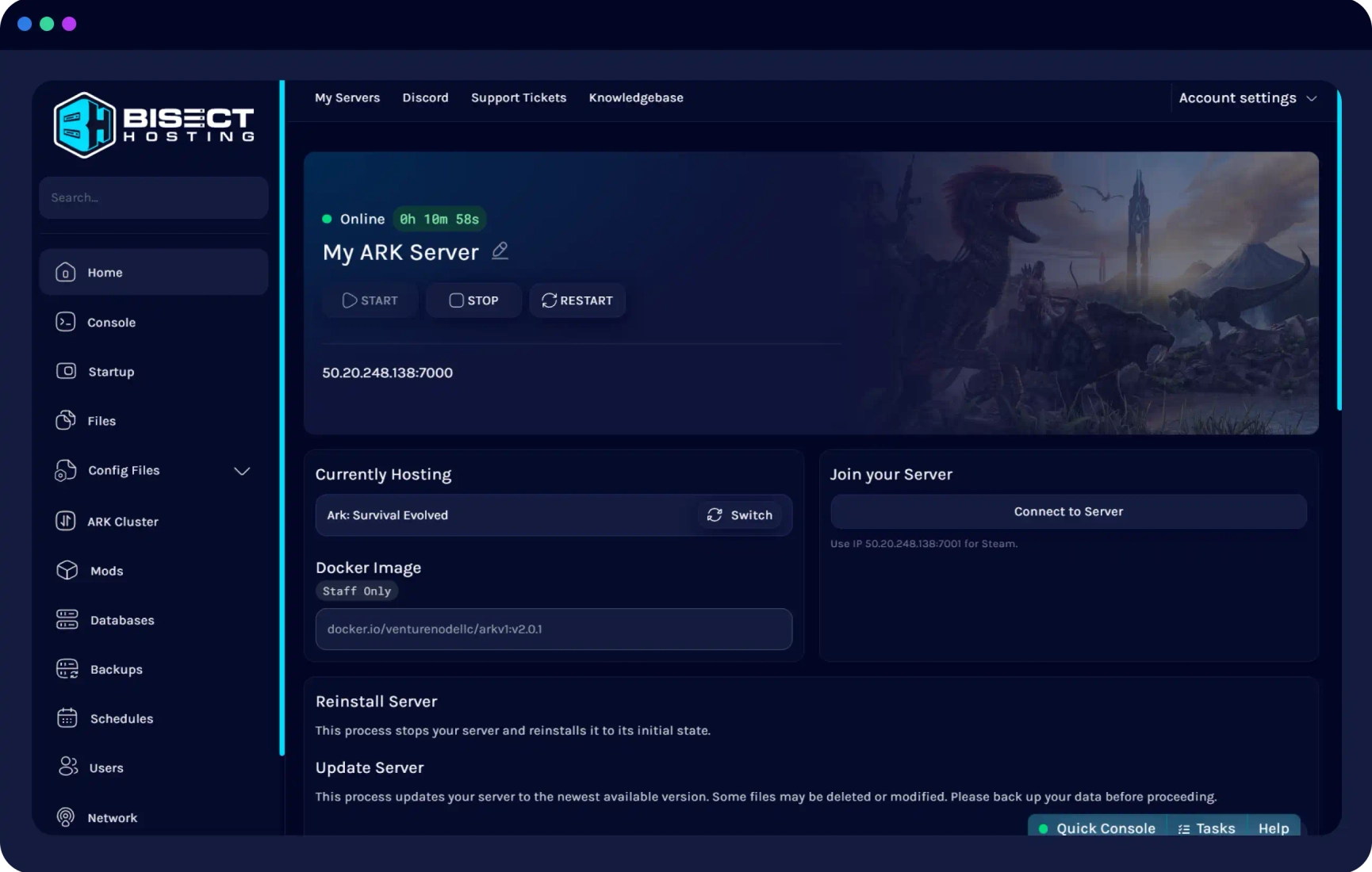
If you want to avoid the pain of self-hosting, bisect host gives you an easy on-ramp. You pick a plan, choose a location, and get a live server within minutes. You can add mods, set backups, and invite players with simple tools. Support is available around the clock for most issues.

Key features and benefits of bisect host
Here are the core strengths that stand out in day-to-day use.
- One-click installs You can deploy popular Minecraft modpacks and server jars with one click.
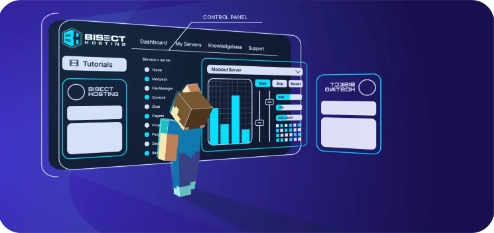
- Strong control panel The interface is clean. It includes a file manager, console, backups, and scheduled tasks.
- Global locations You can place your server near your players to reduce lag.
- DDoS protection Network-level filtering helps keep your server online under attack.
- Fast storage Many plans run on NVMe SSDs, which improves world load times.
- Flexible mods Support for Paper, Spigot, Fabric, Forge, and Bedrock is built in.
- Backups and restores You can create and restore backups in a few clicks.
- Free subdomain You can share a simple address instead of an IP.
From my experience, the one-click modpack library is a time saver. This is key for busy admins and small communities. It also makes bisect host a good fit for people who are new to server management.

Performance, uptime, and hardware
Performance on bisect host is stable when you size your plan well. Vanilla servers with a few players run well on entry plans. Modded servers need more RAM and CPU. Fast CPUs and NVMe drives help reduce chunk lag and tick spikes.
Uptime has been solid across months of use. I schedule restarts during quiet hours to keep memory fresh. This keeps tick rate steady on long-running worlds. Network protection helps during peak times and events.
If your player base is global, pick the closest region to most players. You can also test ping before you commit. This small step helps cut latency and boosts play quality.
Pricing and plan selection for bisect host
Bisect host offers budget and premium plans. Budget is best for small vanilla servers. Premium adds better hardware and priority support. Prices change over time, so always check the latest rates.
Use these simple sizing rules that have worked for me:
- Vanilla, 1 to 6 players Start with 2 to 3 GB RAM.
- Light plugins, 6 to 12 players Start with 4 GB RAM.
- Modded packs, 12 to 20 players Start with 6 to 8 GB RAM.
- Heavy modpacks or large worlds Start with 10+ GB RAM.
Do not chase the cheapest plan if you run big modpacks. Under-sizing costs more in the long run. Right-size first, then tune from there.

How to set up a Minecraft server on bisect host step-by-step
Follow this quick path to get online fast:
- Choose a location Pick the closest region to most players.
- Select a plan Match RAM and CPU to your modpack and player count.
- Pick your version Choose Paper for performance or the mod loader you need.
- Set a subdomain Create an easy address for your players.
- Upload your world or mods Use the file manager or SFTP for large uploads.
- Configure backups Set daily or weekly backups to a safe slot.
- Schedule restarts Choose a quiet time for automatic restarts.
- Share details Send your address and rules to your community.
This flow works for both new worlds and migrations. It keeps your first launch smooth and easy to test.

Best practices for modded servers on bisect host
Modded servers can be tricky. These tips lower lag and cut downtime.
- Use Paper or Purpur for plugins They are faster and well supported.
- Trim heavy mods Remove mods that add large worldgen or complex automation if you see lag.
- Set view-distance Lower view-distance for large groups to reduce tick load.
- Enable timings Use Paper timings to find laggy plugins and fix them.
- Cache and pregen Pre-generate world chunks before launch for smoother play.
I once moved a large SkyFactory server to bisect host. Pre-generating the nether and end cut lag by half. Simple prep made a big difference.
Security and backups on bisect host
Good habits keep your world safe and your admin life calm.
- Enable two-factor Use 2FA on your control panel and SFTP.
- Rotate passwords Change credentials when staff changes.
- Back up often Keep at least three restore points, with one offsite if possible.
- Lock the console Limit panel and console access to trusted admins.
- Use allowlists Use allowlists or permissions for private or semi-private servers.
I test restores after big updates or mod swaps. A five-minute test can save a world after a bad plugin update.

Real-world lessons from using bisect host
I have used bisect host for small friend groups and 30+ player events. The easy modpack installs and backups stand out. Support is quick for common issues, like port needs or file restores.
Mistakes to avoid:
- Under-sizing RAM for big packs This is the top cause of lag and crashes.
- Skipping scheduled restarts Memory use grows over time. Restarts help.
- Ignoring timings Lag builds slowly. Check timings weekly.
Wins to repeat:
- Pre-gen chunks before a big launch
- Test restores after major changes
- Keep a staging copy for plugin updates
Alternatives and how bisect host compares
There are many hosts in the space. Apex Hosting, Shockbyte, and Akliz are well known. Each has its strengths. Some focus on custom panels. Others price very low on entry plans.
Where bisect host shines:
- Simple one-click modpack installs
- Clean control panel with strong backup tools
- Helpful support for common Minecraft issues
Where to check closely:
- Exact CPU model per plan and region
- Backup retention and restore speeds
- Limits on automated tasks or file size
Do a short trial with your own modpack and player group. Real play is the best test.
Troubleshooting common issues on bisect host
Use these quick checks before you open a ticket.
- Crashes after startup Check logs for missing mods or wrong versions.
- Lag with many players Lower view-distance and check for heavy plugins.
- Timeouts for some users Confirm region choice and ask for ping tests.
- Worlds not saving Verify backups and disk space, then test a manual save.
- Modpack not loading Reinstall the pack and clear the cache, then retry.
If the issue only happens at peak time, gather timings and logs. Share them with support. Clear data speeds up the fix.
Frequently Asked Questions of bisect host
What is bisect host used for?
Bisect host is used to run game servers, most often Minecraft. It offers quick setup, simple tools, and support for mods and plugins.
Is bisect host good for modded Minecraft?
Yes, it works well for modded servers when you size RAM and CPU right. Use one-click installs and keep backups for safe updates.
How much RAM do I need on bisect host?
Vanilla servers can start at 2 to 3 GB for small groups. Modded servers often need 6 to 8 GB or more, based on the pack.
Can I move my existing world to bisect host?
Yes, upload your world folder via the file manager or SFTP. Set it as the main world, restart, and test before inviting players.
Does bisect host have DDoS protection?
Yes, it includes network-level protection to reduce attack impact. It helps maintain uptime during hostile traffic.
What control panel does bisect host use?
It provides a clean web panel with console, files, backups, and schedules. It supports common server jars and mod loaders.
Can I change server locations later?
You can migrate, but it may need a ticket or a new deployment. Test ping before you choose to avoid later moves.
Conclusion
Bisect host makes running a server simple and stable. It shines with easy modpack installs, solid backups, and a clear panel. With the right plan and a few best practices, you can deliver smooth play for your community.
Take the next step. Size your plan using the tips above, pre-generate chunks, and set backups today. If you found this guide helpful, subscribe for more tutorials or leave a comment with your setup and questions.
Tags: Bisect Host, Bisect Host Review, Bisect Host Setup, BisectHosting, BisectHosting 2026, Budget Game Servers, Game Server Hosting, Minecraft Server Guide, Minecraft Server Hosting, Server Hosting Tips